In this post
Lorem ipsum dolor sit amet
Lorem ipsum dolor sit amet
When you’re evaluating employee benefits software, the stakes are higher than just picking a tool. The wrong platform creates manual work, enrollment errors, and a poor employee experience due to constant back-and-forth with HR. The right one reduces administrative burden, improves accuracy, and gives you the visibility to manage benefits spend with confidence.
Below, we break down ten employee benefits software solutions consultants frequently recommend, including where each one fits, where it falls short, and how to choose the right option for your clients.
What is employee benefits software?
Dedicated benefits software differs from basic HRIS modules in meaningful ways. An HRIS, or human resource information system, is typically your system of record for employee data, such as payroll, job information, and basic benefits tracking. Benefits are often just one feature within a broader platform.
Purpose-built benefits software goes deeper. It offers real-time carrier integrations, automated eligibility rules, ACA compliance reporting, and detailed utilization analytics that most HRIS tools don’t support out of the box.
That difference matters in practice. Organizations that invest in structured benefits administration see higher participation rates and lower administrative costs compared to those managing benefits through manual processes or disconnected systems.
Top employee benefits software solutions

1. Benepass
Benepass is a card-first employee benefits platform that consolidates pre-tax benefits (HSAs, FSAs, HRAs, commuter programs) and post-tax perks (lifestyle spending accounts, stipends, rewards) onto a single employer-funded Visa card and dashboard. It's built for those who need a flexible, scalable, and global solution that reduces administrative complexity for clients managing diverse benefit types across distributed teams.
Key strengths:
- Card-first technology: The Benepass Visa card lets employees spend on approved benefits anywhere Visa is accepted, with no extra fees, increasing utilization and reducing reimbursement delays.
- Self-service dashboard: Employees track contributions, expenses, and enrollment status in one interface, minimizing HR inquiries and improving benefits program transparency.
- HRIS and payroll integrations: Connects with multiple HRIS and payroll systems to automate data sync and reduce manual entry across multi-client deployments.
Limitations: Pricing is customized to client needs, so a quote is required during the evaluation process. While Benepass focuses on benefits spending and account management, organizations may pair it with existing payroll or HR systems to support broader workforce operations.
Best for: Consultants serving mid-sized to enterprise clients (100–5,000+ employees) who want to consolidate multiple benefits onto one platform, especially those with global or remote teams across 200+ countries.

2. Gusto
Gusto is an all-in-one HR platform that integrates payroll, benefits administration, and compliance for small- to medium-sized businesses. It lets consultants manage health insurance, 401(k)s, and HSAs alongside payroll, with enrollment synced directly to payroll deductions.
Key strengths:
- Payroll-integrated benefits: Medical, dental, and vision insurance sync automatically with Gusto's payroll system, eliminating manual deduction errors.
- Online enrollment: Employees review and adjust plan details entirely online through a mobile-friendly interface.
- ACA compliance automation: Handles Affordable Care Act reporting, filings, and eligibility checks automatically.
Limitations: Starting at $49/month plus $6 /month per user, costs can escalate for growing workforces. Gusto also lacks the lifestyle spending accounts and wellness stipends found in platforms like Benepass, and priority support is only available on higher-tier plans.
Best for: Consultants working with small- to mid-sized businesses (under 200 employees) that need affordable payroll-benefits integration without extensive customization.
3. BambooHR
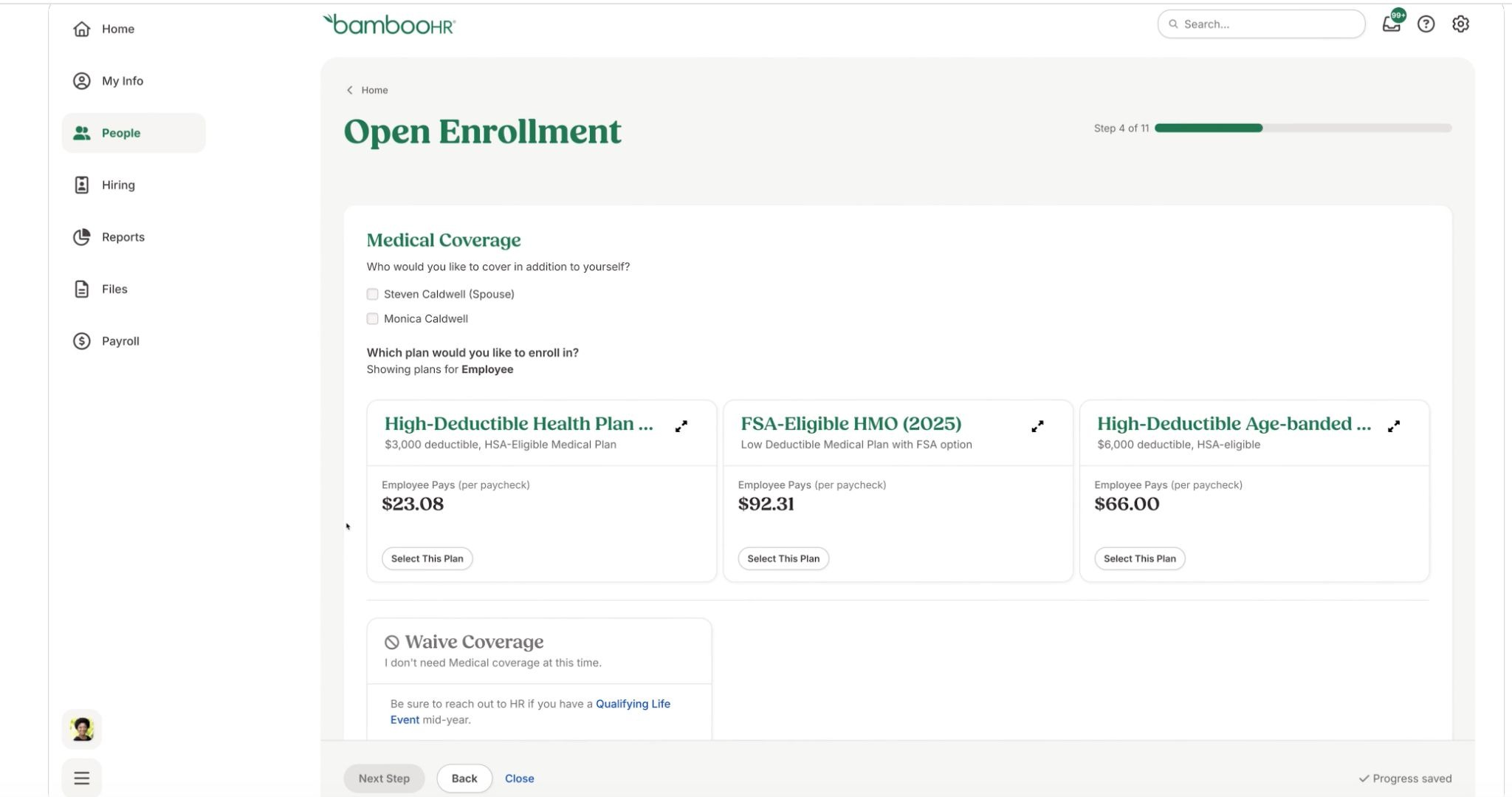
BambooHR is an all-in-one HR platform that integrates benefits administration with performance management, payroll tools, and employee self-service capabilities, particularly suited for small to mid-sized businesses (1–500 employees).
Key strengths:
- Retirement planning integration: Configure and manage health insurance, retirement plans, and flexible benefits within a single platform, reducing administrative fragmentation.
- Employee self-service: Employees independently manage benefits elections, view coverage details, and request time off, reducing HR burden during open enrollment.
- Payroll sync: Benefits data automatically syncs with payroll systems, eliminating manual reconciliation errors.
Limitations: May not provide the advanced customization or depth of carrier integration that larger enterprises (500+ employees) require. Carrier integration capabilities are less extensively documented than those of competitors like ADP Workforce Now.
Best for: Consultants serving small to mid-sized clients in retail, hospitality, and healthcare who need a user-friendly HRIS that balances ease of use with solid HR functionality.
4. Namely
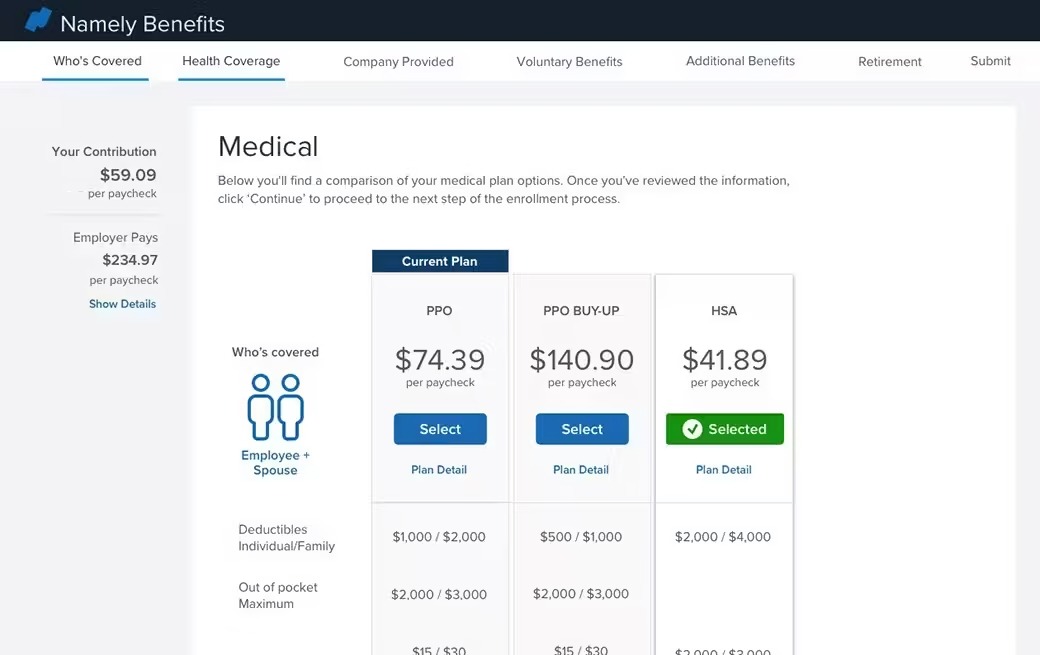
Namely is an HR platform for small- to mid-sized companies that offers payroll, talent management, time tracking, and benefits administration. Its Benefits Administration Module and Managed Benefits services give consultants a practical option for clients wanting to reduce manual paperwork and improve the enrollment experience.
Key strengths:
- Contextual enrollment support: Guided enrollment tools reduce confusion and support requests during open enrollment periods.
- Real-time enrollment dashboard: Benefits administrators monitor enrollment statuses in real time, helping consultants track participation and intervene quickly.
- Enrollment wizard: Step-by-step enrollment eliminates paper forms and improves completion rates.
Limitations: Optimized for companies under 1,000 employees, limiting appeal for rapidly scaling clients. The Benefits Administration Module is only available on the Namely Plus plan or higher, which increases costs for clients who need full functionality.
Best for: Consultants recommending solutions to mid-market clients (50–1,000 employees) who want integrated HR and benefits with strong self-service capabilities and optional brokerage support.
5. ADP Workforce Now
ADP Workforce Now is a comprehensive human capital management platform designed for midsize to large enterprises, centralizing benefits administration within an integrated HR and payroll suite.
Key strengths:
- 900+ carrier connections: Real-time integration with over 900 insurance carriers automates data exchange for benefits enrollment and updates.
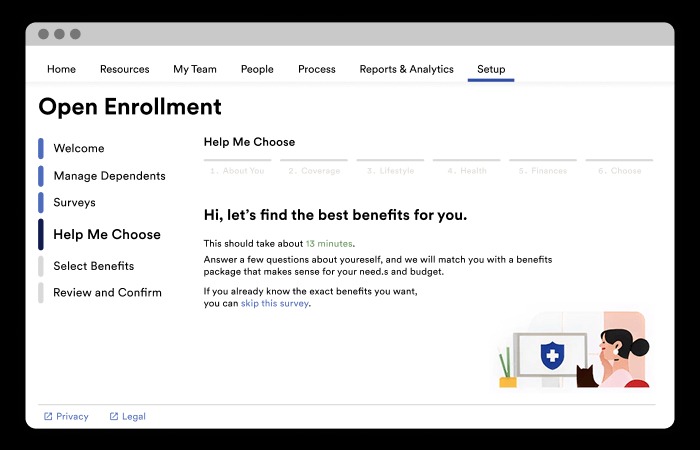
- Automated open enrollment: Mobile access and AI-guided plan recommendations help ensure high participation rates with minimal errors.
- Built-in compliance automation: Handles ACA, HIPAA, and COBRA requirements automatically, including reporting and filings.
Limitations: No transparent starting prices, requiring custom quotes that can complicate budget comparisons. Primarily optimized for 500+ employee organizations, which may introduce unnecessary complexity for smaller clients.
Best for: Consultants serving enterprise clients in finance, healthcare, and manufacturing who need robust carrier integrations and automated compliance at scale.
6. Rippling
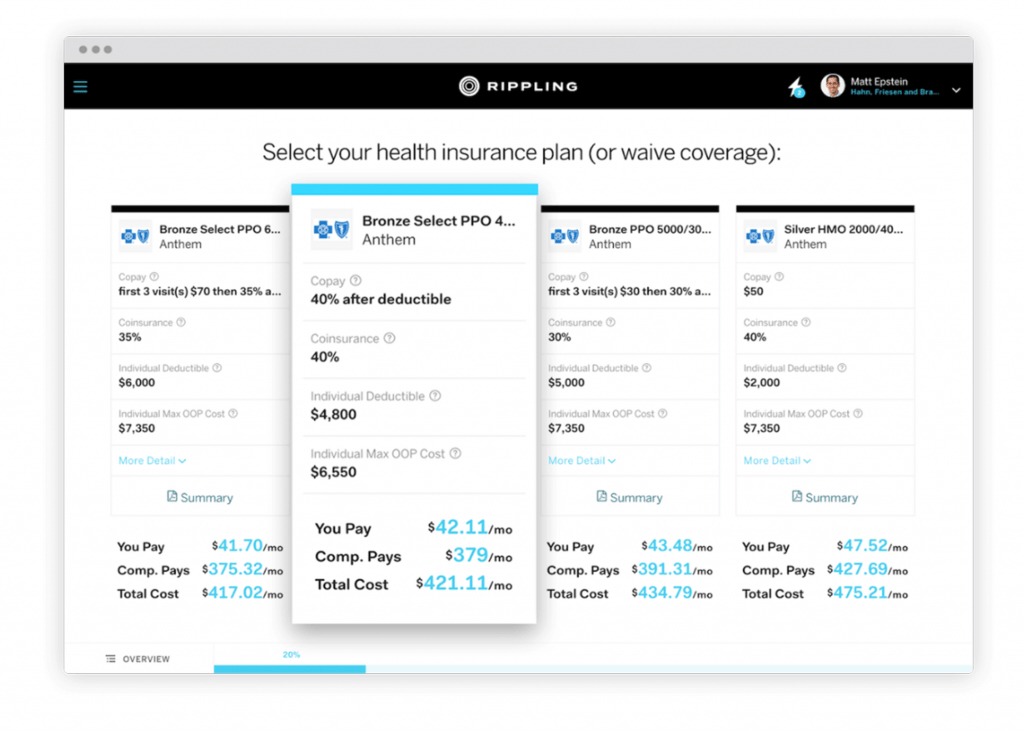
Rippling is a comprehensive HR, payroll, and IT platform that automates employee lifecycle management, including benefits administration, within a unified workforce management system.
Key strengths:
- Lifecycle automation: Handles onboarding, benefits enrollment, and offboarding in one automated workflow, reducing manual errors for clients with frequent headcount changes.
- Automated benefits administration: Automates eligibility tracking, open enrollment workflows, and carrier integrations without extensive IT resources.
- Extensive integrations: Over 100 HRIS integrations with native payroll connectivity minimize reconciliation issues during benefits management.
Limitations: Starting at $8/user/month, costs can escalate with add-ons for advanced IT or global features. The platform's full HR-IT automation introduces a steeper learning curve for clients focused solely on benefits.
Best for: High-growth businesses (50–1,000 employees) that need an integrated HR, payroll, and IT platform with lifecycle automation.
7. TriNet
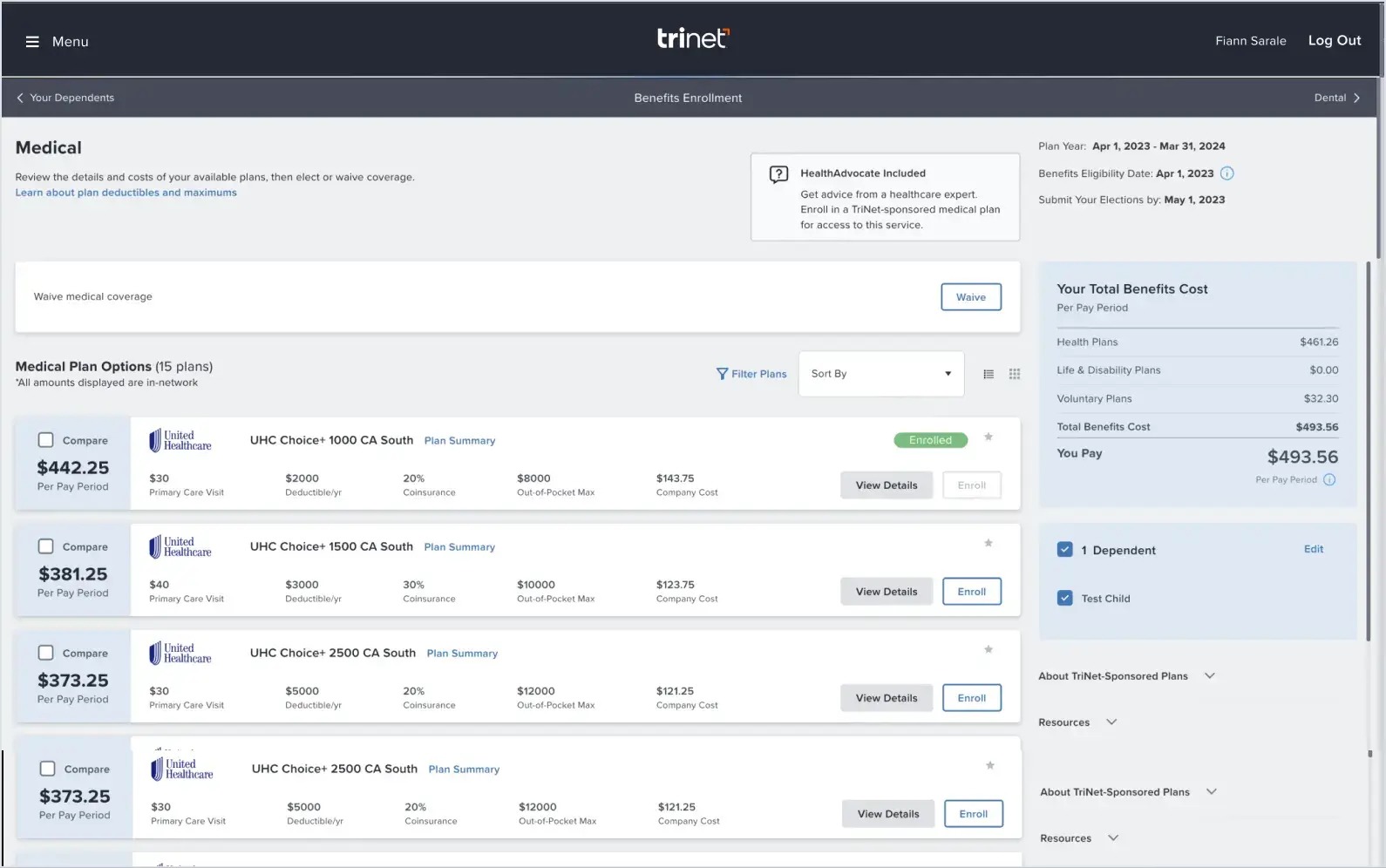
TriNet is a Professional Employer Organization (PEO) that acquired Zenefits in 2022, combining PEO services with a comprehensive HR platform covering benefits administration, compliance management, and employee administration.
Key strengths:
- Mobile benefits management: Employees review coverage, update elections, and manage benefits from anywhere, reducing HR inquiry volume.
- Automated benefits elections: Syncs elections automatically between payroll and HR systems, reducing data entry errors.
- Full-service PEO model: Clients gain access to carrier relationships, plan design support, and compliance management through a single vendor.
Limitations: Custom pricing makes cost comparison and ROI projections more difficult. As a full-service PEO, TriNet's pricing is typically higher than standalone benefits software, which may not align with budget-conscious clients who only need benefits administration.
Best for: Mid-sized clients (50–500 employees) lacking internal infrastructure to manage carrier negotiations, compliance tracking, and benefits administration independently.

8. Justworks
Justworks is a modern HR platform with built-in benefits administration that combines compliance support with broad carrier access, making it relevant for small to mid-sized employers seeking competitive benefits without traditional PEO complexity.
Key strengths:
- Built-in compliance resources: Automates HIPAA, ACA, and state-level compliance tracking and reporting, reducing audit risk for clients.
- Broad benefits range: Beyond core health coverage, Justworks offers fertility programs, mental health support, and telehealth benefits.
- Access to established carriers: Provides access to Aetna, Kaiser Permanente, and United Healthcare through the PEO, giving clients purchasing power typically reserved for larger organizations.
Limitations: The PEO tier offers more comprehensive benefits than Justworks Payroll, which may require guiding clients toward the higher tier. Some users report difficulties reaching customer service during critical enrollment periods.
Best for: Small- to mid-sized businesses that want access to competitive health insurance plans and automated compliance without managing multiple vendor relationships.

9. Lively
Lively is a specialized benefits provider focused primarily on Health Savings Accounts (HSAs), with expanded offerings including HRAs, commuter benefits, and Lifestyle Spending Accounts (LSAs).
Key strengths:
- Investment integration: Provides direct access to the Schwab Health Savings Brokerage Account and HSA Guided Portfolio from Devenir, turning HSAs into long-term savings vehicles.
- Real-time deductible tracking: Employee dashboards deliver real-time insights into health plan deductibles and out-of-pocket costs.
- Debit card convenience: Employees pay for qualified medical expenses at point of purchase, eliminating reimbursement delays.
Limitations: Lively's narrow product focus means consultants will need a separate provider for group health insurance enrollment or 401(k) administration. Live customer support is only available Monday to Friday, 6am–6pm PT, which may not meet the needs of distributed teams.
Best for: Clients (50–500 employees) with high-deductible health plans that need a dedicated HSA platform with investment options and real-time reporting.
10. Joon
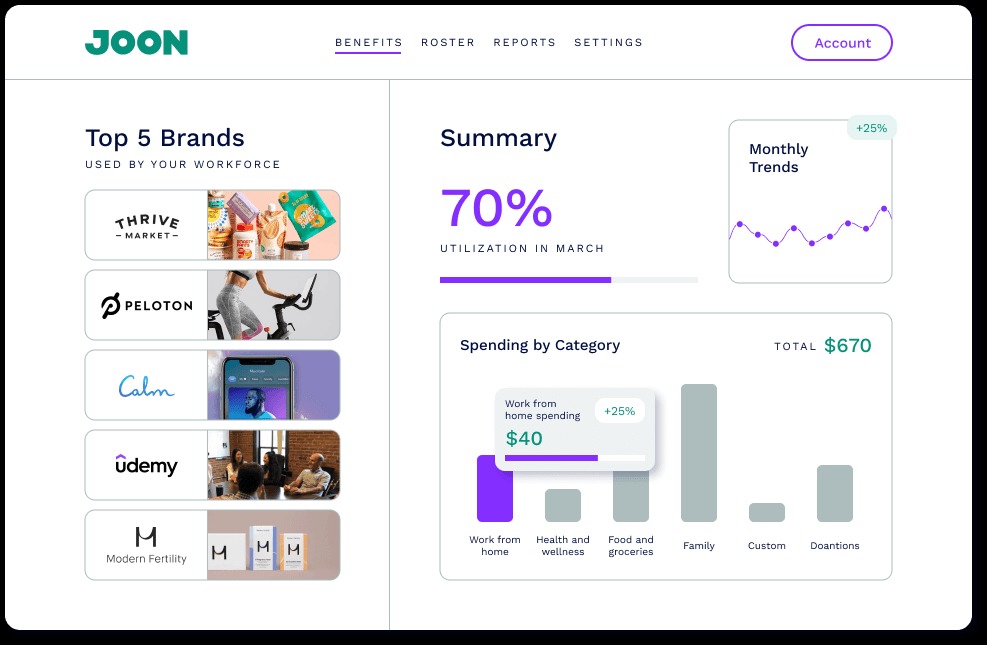
Joon is a Lifestyle Spending Account (LSA) platform that gives employees flexible spending across categories like continuing education, work-from-home equipment, family care, and wellness, using card-connected technology for automatic reimbursement.
Key strengths:
- Card-connected reimbursement: Employees sync personal payment methods, and Joon automatically reimburses eligible purchases in real time, removing friction from the claims process.
- Pre-built spending categories: Pre-defined spending pillars covering health, professional development, family support, and remote work reduce setup time for consultants.
- HR system integrations: Connects with payroll and HRIS tools to automate employee data sync, enrollment updates, and contribution tracking.
Limitations: Joon doesn't offer pre-tax benefits like HSAs, FSAs, or commuter programs, so consultants will need a separate vendor for a full benefits suite. International coverage and SSO integrations require premium upgrades.
Best for: Mid-sized companies (100–500 employees) that already have core benefits in place and want to differentiate their total rewards package with flexible, employee-driven spending options.
What key features should you evaluate in benefits software?
The right employee benefits software should make administration easier, increase participation, and support compliance. Here’s how to evaluate your options.
Benefits enrollment and administration capabilities
Look for self-service enrollment with decision-support tools, automated eligibility tracking, and support for multiple benefit types in one place.
Platforms like Benepass bring these benefits together on a single card and dashboard, so employees access everything from pre-tax health accounts to post-tax stipends without switching systems. This reduces administrative work and helps drive higher utilization by making benefits easier to understand and use.
Integration with payroll and HR systems
Benefits administration needs to connect with payroll and HR systems to avoid duplicate work, payroll errors, and compliance gaps. Look for real-time data sync, compatibility with major HR platforms, and pre-built integrations that reduce manual setup.
When benefits data flows directly into payroll, your clients avoid reconciliation issues, and employees see accurate contributions reflected in their paychecks.
Compliance management and reporting tools
Benefits administration comes with complex regulatory requirements. The software you choose should automate ACA tracking and filing, COBRA administration, and provide audit-ready reporting with easy access to enrollment and participation data.
Built-in compliance tools help reduce penalty risk and give your clients confidence they’re meeting federal and state requirements. Real-time reporting also makes it easier to track participation, understand cost per employee, and demonstrate ROI.
FAQs: Employee benefits software
What is employee benefits software?
Employee benefits software automates the administration, enrollment, and compliance tracking of workplace benefits. These platforms go beyond basic HRIS tools with features like real-time reporting, employee self-service, carrier integrations, and compliance support for regulations like ACA, HIPAA, and COBRA. For consultants, this reduces manual work, minimizes enrollment errors, and provides the visibility needed to optimize plans and demonstrate ROI.
How does employee benefits software work?
Most employee benefits software operates through a central dashboard where you configure plans, set contributions, and manage enrollment. Employees use their own portal to review options, make elections, and track coverage.
These platforms typically integrate with payroll to automate deductions and keep data in sync. For consultants managing multiple clients, look for multi-entity support to enhance the efficiency of workflows across your book of business.
What features should I look for in employee benefits software?
At a minimum, your platform should include self-service enrollment, reporting and analytics, integrations with HRIS and payroll systems, and mobile access for distributed teams. Modern platforms like Benepass bring multiple benefit types together on one card and dashboard, reducing administrative complexity and making benefits easier for employees to use.
How much does employee benefits software cost?
Pricing typically falls into three models: per-employee-per-month (PEPM), tiered subscriptions with a base fee plus per-user costs, and custom enterprise pricing for larger platforms. When evaluating cost, look beyond the platform price. Factor in time saved through automation, reduced compliance risk, and improved benefits utilization. Understanding your total cost per employee helps you set expectations and build a clear ROI case.
Choose the right employee benefits software for your clients
Recommending employee benefits software determines how much time HR teams spend on administration, how easily employees use their benefits, and how much friction your clients experience year after year.
The best platforms reduce manual work, support compliance, and make benefits easy to access and understand. They also fit into your clients’ existing systems, integrating with payroll and HR tools instead of forcing a full replacement, and scale as organizations grow.
Benepass takes a different approach from fragmented legacy vendors. By bringing pre-tax benefits and post-tax spending accounts together on one card and platform, it simplifies administration and makes benefits easier for employees to use. The result is higher participation, stronger employee engagement, clearer visibility into spend, and less operational overhead for your clients.
Ready to reduce complexity and improve how benefits are delivered? Get a more efficient, flexible approach with Benepass.

Frequently Asked Questions


Rebecca Noori
Rebecca Noori is a freelance HR Tech and SaaS writer who is obsessed with our world of work. She writes about everything from employee benefits and performance management to upskilling and productivity tips. When she's not writing, you'll find her grappling with phonics homework and football kits, looking after her three kids.


.jpg)